Understanding the Meaning of Vanyadoing: A Guide to Custom Wix Development
- Vanyadoing

- May 5
- 4 min read
When it comes to building a unique online presence, you need more than just a standard website. You want something tailored, something that fits your vision perfectly. That’s where the meaning of vanyadoing comes into play. It’s a concept that’s gaining traction among businesses and individuals who want advanced, customized Wix development. Let me walk you through what it means, why it matters, and how you can leverage it to overcome digital challenges.
What Is the Meaning of Vanyadoing?
At its core, the meaning of vanyadoing revolves around creating bespoke solutions on the Wix platform. It’s not just about dragging and dropping elements; it’s about crafting a website that aligns with your specific goals and brand identity. Think of it as the art and science of customizing Wix beyond its default capabilities.
For example, you might want a booking system that integrates seamlessly with your calendar, or a product showcase that’s interactive and visually stunning. Vanyadoing means going beyond templates and standard apps to build something truly unique.
This approach is perfect if you’re looking to:
Stand out in a crowded market
Provide a smooth user experience tailored to your audience
Implement features that Wix’s default tools don’t offer
By embracing this concept, you’re investing in a website that works harder for you.
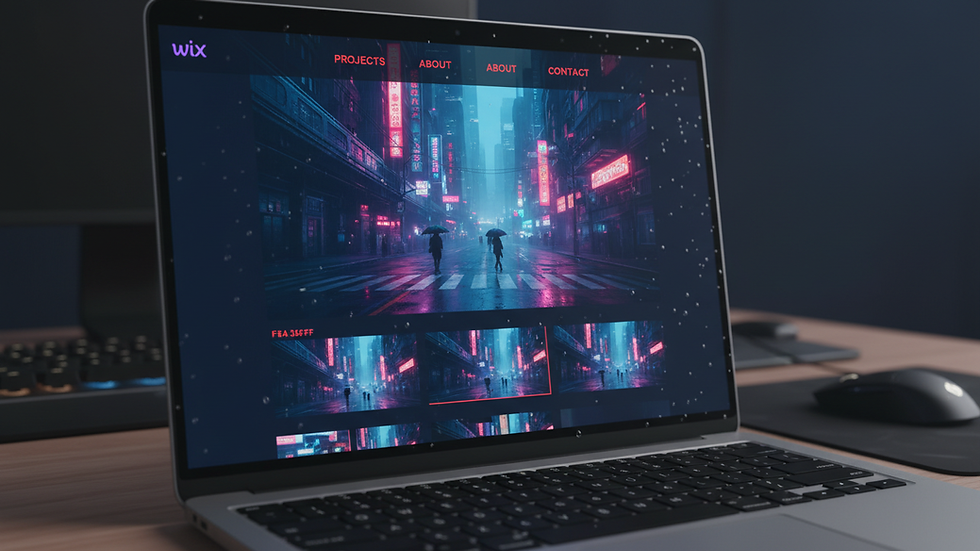
Why Custom Wix Development Matters
You might wonder why you should bother with custom development when Wix already offers plenty of templates and apps. The answer is simple: customization unlocks potential.
Standard Wix sites are great for quick setups, but they often fall short when you need:
Unique branding elements
Advanced functionality like custom forms, APIs, or integrations
Optimized performance tailored to your business needs
Custom Wix development lets you tailor every detail. It’s like having a tailor-made suit instead of off-the-rack clothing. The fit is better, the style is yours, and the impact is stronger.
For instance, if you run an online store, you might want a checkout process that reduces cart abandonment or a loyalty program integrated directly into your site. These features require custom coding and design tweaks that go beyond Wix’s standard offerings.
How to Approach Custom Wix Development
If you’re ready to dive into custom Wix development, here’s a practical roadmap to get started:
Define Your Goals Clearly
What do you want your website to achieve? More sales, better engagement, or perhaps a stronger brand presence? Clear goals guide the development process.
Identify the Features You Need
List out the functionalities that are essential. This could include booking systems, custom galleries, membership areas, or integrations with third-party tools.
Work with Experts
Custom development requires technical skills. Collaborate with professionals who understand Wix’s platform and can translate your vision into reality.
Test and Iterate
Once your custom features are built, test them thoroughly. Gather feedback and make improvements to ensure everything runs smoothly.
Optimize for Performance and SEO
A custom site should not only look good but also load fast and rank well on search engines. Make sure your developer follows best practices.
By following these steps, you’ll create a website that’s not just functional but also a powerful asset for your business.

Practical Examples of Vanyadoing in Action
To make this concept more tangible, let me share some examples of how custom Wix development can transform your online presence:
Custom Booking System for a Wellness Coach
Instead of using a generic booking app, a wellness coach had a system built that synced with their personal calendar, sent automated reminders, and allowed clients to choose specific session types. This reduced no-shows and improved client satisfaction.
Interactive Portfolio for a Photographer
A photographer wanted a portfolio that told a story. Through custom coding, they created an interactive gallery with smooth transitions, client testimonials, and a blog integrated seamlessly. This helped attract more clients and showcase their style effectively.
E-commerce Store with Unique Checkout Flow
An online boutique needed a checkout process that offered gift wrapping options and personalized messages. Custom development enabled these features, increasing average order value and customer delight.
These examples show how vanyadoing can solve real problems and elevate your website beyond the ordinary.
Taking the Next Step with Vanyadoing
If you’re ready to explore the possibilities of custom Wix development, consider reaching out to experts who specialize in this area. They can help you navigate the technical details and bring your vision to life.
Remember, the key to success is clear communication and a well-defined plan. Share your goals, be open to suggestions, and stay involved throughout the process.
For those interested in learning more about this approach, you can explore vanyadoing to see how it can help you overcome digital challenges and achieve your unique online vision.
Custom Wix development is not just a service - it’s a partnership that empowers you to create a website that truly represents your brand and meets your business needs.
By understanding the meaning of vanyadoing and applying it thoughtfully, you’re setting yourself up for a website that’s both beautiful and functional. It’s an investment in your digital future that pays off with better engagement, stronger branding, and more satisfied visitors. So why settle for less when you can have a site that’s tailored just for you?


Comments