Using Custom Wix Coding Solutions to Enhance Your Wix Site

When I first started building websites on Wix, I quickly realized how powerful the platform is for creating beautiful, functional sites without needing to write a single line of code. But as I dove deeper, I found that sometimes the built-in tools just weren’t enough. That’s when I discovered the magic of custom Wix coding solutions. Adding custom code can take your Wix site from good to exceptional, giving you the flexibility to tailor your site exactly how you want it.
In this post, I’ll walk you through how you can use custom code to enhance your Wix site. I’ll share practical tips, examples, and insights to help you unlock new possibilities. Whether you want to add unique features, improve user experience, or integrate third-party tools, custom coding on Wix can be a game-changer.
Why Choose Custom Wix Coding Solutions?
Wix is fantastic for quick and easy website creation. But sometimes, you need more than just drag-and-drop. Custom Wix coding solutions allow you to:
Add unique functionality that Wix’s standard apps don’t offer.
Personalize your site’s behavior to match your brand’s voice and style.
Integrate external services like APIs, chatbots, or analytics tools.
Automate tasks such as form submissions, data collection, or user interactions.
Improve site performance with optimized scripts and custom loading sequences.
For example, I once helped a client who wanted a dynamic pricing calculator on their Wix store. Using custom code, we built a calculator that updated prices based on user selections in real-time. This feature wasn’t available in Wix’s default options but made a huge difference in user engagement and sales.
Custom coding also lets you experiment with animations, interactive elements, and advanced layouts that make your site stand out. The best part? You don’t have to be a coding expert to get started. Wix’s built-in tools like Velo by Wix provide an easy way to add JavaScript and work with APIs right inside the Wix Editor.

How to Get Started with Custom Wix Coding Solutions
If you’re new to custom coding on Wix, here’s a simple roadmap to help you begin:
Understand Your Needs
Start by listing what you want to achieve. Do you need a custom form, a unique animation, or integration with another service? Clear goals will guide your coding efforts.
Explore Velo by Wix
Velo is Wix’s official development platform. It lets you add JavaScript, create backend functions, and connect to external APIs. Spend some time exploring its features and tutorials.
Use the Wix Code Panel
Inside the Wix Editor, open the Code Panel to write and manage your scripts. You can add event handlers, manipulate page elements, and create custom interactions.
Test Your Code Thoroughly
Always preview and test your custom code on different devices and browsers. This helps catch bugs and ensures a smooth user experience.
Leverage Wix APIs and SDKs
Wix offers APIs for working with site data, user authentication, and more. Using these APIs can help you build powerful custom features.
Seek Help When Needed
If you get stuck, Wix’s developer community and documentation are great resources. You can also hire experts for complex projects.
For instance, I once added a custom booking system using Velo that synced with Google Calendar. It required backend coding and API calls, but the result was a seamless booking experience that saved the client hours of manual work.
Does Wix Support Custom HTML?
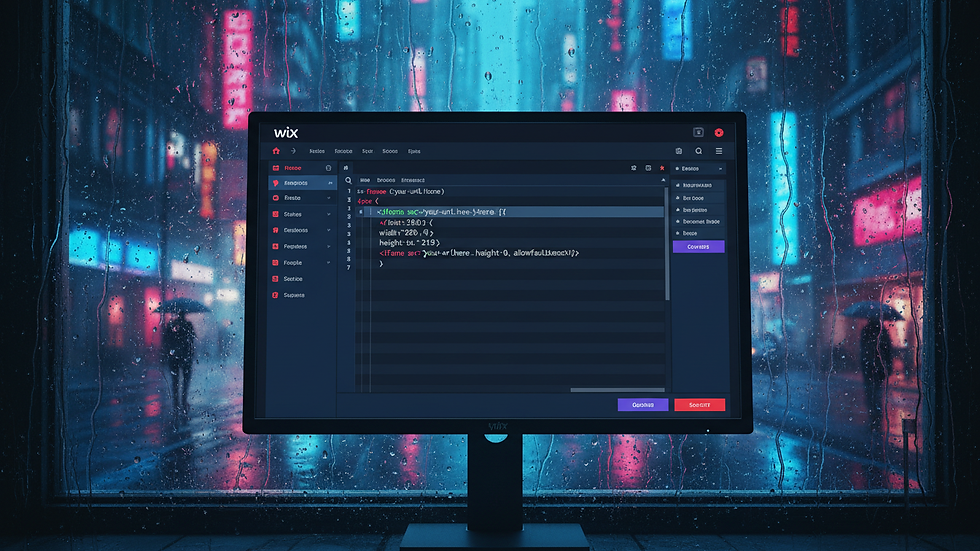
Yes, Wix does support custom HTML, but with some limitations. You can add custom HTML code snippets using the HTML iframe element. This is useful for embedding widgets, forms, or third-party content that Wix doesn’t natively support.
However, the iframe method has restrictions:
You cannot directly modify the parent page’s DOM or styles from inside the iframe.
Some scripts may not work properly due to sandboxing.
SEO benefits are limited because search engines may not fully index iframe content.
For more advanced customization, Wix encourages using Velo by Wix, which offers deeper integration and control over your site’s code. Velo lets you write JavaScript that interacts directly with your page elements, databases, and backend services.
If you want to embed a simple widget like a chatbox or a booking form, the HTML iframe element is quick and easy. But for anything more complex, custom Wix coding solutions through Velo are the way to go.
Practical Examples of Custom Code Enhancements
Let me share some real-world examples where custom code made a big difference:
1. Custom Contact Forms with Validation
Wix’s default forms are great, but sometimes you need extra validation or conditional fields. Using custom code, you can create forms that:
Show or hide fields based on user input.
Validate phone numbers, emails, or custom formats.
Send data to external CRM systems automatically.
2. Dynamic Content Loading
If you have a blog or product catalog, you can use custom code to load content dynamically without refreshing the page. This improves user experience and keeps visitors engaged longer.
3. Personalized User Experience
By using Wix’s user authentication and custom code, you can show personalized greetings, recommend products, or save user preferences.
4. Custom Animations and Effects
Add smooth animations triggered by scrolling, clicking, or hovering. These subtle touches make your site feel modern and interactive.
5. Integration with Third-Party APIs
Connect your site to payment gateways, social media platforms, or AI services. For example, integrating an AI chatbot can provide instant customer support.
Each of these examples requires some coding, but Wix’s tools make it manageable. Plus, the payoff is a site that truly reflects your vision and meets your business needs.
Tips for Writing Effective Custom Code on Wix
Writing custom code can be intimidating, but these tips will help you stay on track:
Keep it simple: Start with small scripts and build up complexity gradually.
Comment your code: This makes it easier to understand and update later.
Use Wix APIs: They are designed to work smoothly with the platform.
Test often: Preview your site regularly to catch errors early.
Optimize for speed: Avoid heavy scripts that slow down your site.
Backup your work: Save copies of your code before making big changes.
Remember, the goal is to enhance your site without breaking it. If you’re unsure, try your code on a test page first.
Unlocking the Full Potential of Your Wix Site
Using wix custom code is a powerful way to push the boundaries of what your site can do. It opens doors to creativity, efficiency, and innovation. Whether you want to automate tasks, create unique user experiences, or integrate cutting-edge technology like AI, custom coding on Wix makes it possible.
If you’re ready to take your Wix site to the next level, start experimenting with Velo by Wix today. The more you explore, the more you’ll discover how custom code can transform your online presence.
With the right approach, your Wix site won’t just be a website - it will be a dynamic, engaging platform that grows with your business and adapts to your unique vision.
Happy coding!


